

Your AI Pair Programmer Just Got a Promotion
For the past two years, AI coding tools lived inside a comfortable box: generate code, suggest completions, maybe refactor a function. The human still previewed the app, reviewed the diff, ran CI, fixed failures, and hit the merge button.
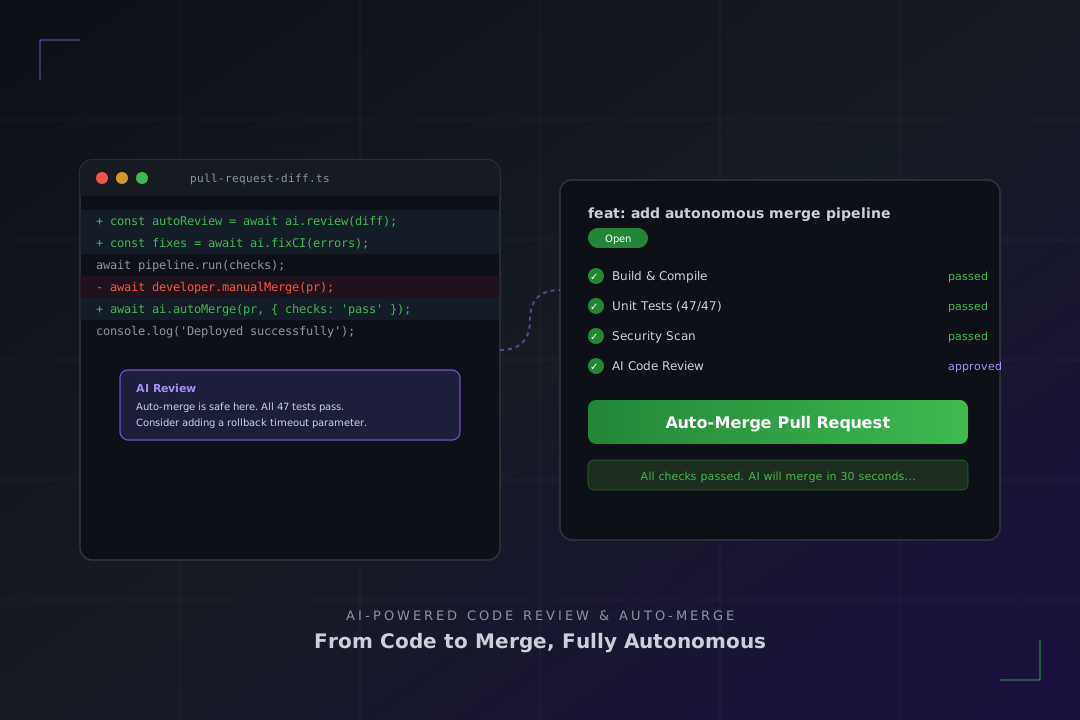
That box just broke open. In February 2026, Claude Code shipped features that let AI preview your running application, review your code changes inline, automatically fix CI failures, and merge pull requests once all checks pass. And it is not alone — Windsurf, Cursor, and others are racing toward the same finish line.
The developer workflow is no longer "AI writes, human ships." It is becoming "human directs, AI ships."
What Claude Code Actually Does Now
Anthropic's February 2026 update introduced four capabilities that together close the gap between writing code and merging it:
Live App Preview
Claude Code on desktop can start your development server and render your running app directly in the interface. It reads console logs, catches runtime errors, and iterates on fixes — all without you switching to a browser. You can click on any visual element in the preview and send feedback directly to Claude.
This matters because the old loop was: write code → switch to browser → inspect → switch back → edit → repeat. Now the loop is: write code → Claude previews and iterates → you review the final result.
Automated Code Review
A new "Review code" button tells Claude to examine your local diffs and leave inline comments in the desktop diff view. It flags potential bugs, suggests improvements, and catches issues before you commit. Think of it as a senior engineer doing a first pass on every change.
Auto-Fix CI Failures
For GitHub projects, Claude Code now monitors your pull request's CI checks in the background. When a check fails, it reads the error, generates a fix, pushes it, and waits for CI to run again. You enable this with a single toggle.
Auto-Merge
Once all CI checks pass, Claude can merge the PR automatically. Combined with auto-fix, this means you can open a PR, switch to another task, and come back to find it merged and deployed.
The February 2026 AI Dev Tool Landscape
Claude Code is not operating in a vacuum. According to LogRocket's February 2026 AI Dev Tool Power Rankings, the competitive landscape has shifted dramatically:
| Tool | Key Feature | Pricing |
|---|---|---|
| Windsurf | Arena Mode (side-by-side model comparison), multi-agent parallel sessions | Free–$60/mo |
| Cursor 2.0 | Composer model (4x faster), up to 8 parallel agents | Free–$200/mo |
| Claude Code | Live preview, auto-review, auto-fix, auto-merge | $20–$200/mo |
| Kimi Code | Open-source, Agent Swarm compatibility | Free |
| Antigravity | Multi-agent orchestration, browser automation | Free (preview) |
The pattern is clear: every major tool is moving beyond code generation toward full-lifecycle automation. Windsurf's Arena Mode lets you compare model outputs side by side. Cursor 2.0 runs up to eight agents in parallel. Kimi Code brings open-source Agent Swarm support.
What This Means for Your Daily Workflow
Before: The Manual Loop
- Write code with AI assistance
- Manually start dev server and preview
- Switch between editor and browser to debug
- Stage changes and write commit message
- Open PR and wait for CI
- Read CI errors, fix manually, push again
- Request human review
- Address review comments
- Merge when everything passes
After: The Autonomous Loop
- Describe what you want built
- AI writes, previews, and iterates until it looks right
- AI opens PR and monitors CI
- AI fixes any failures automatically
- AI merges when all checks pass
- You review the merged result
Steps 2 through 5 can happen while you are working on something else entirely. The developer's role shifts from executing each step to defining intent and reviewing outcomes.
The Risks You Should Know About
This level of automation is powerful, but it comes with real risks:
Blind merges. Auto-merge without human review means bugs can ship faster too. Use auto-merge only on repositories with strong test coverage and staging environments.
CI as the only gate. If your CI pipeline has gaps — no integration tests, no security scanning, no performance benchmarks — auto-fix will only fix what CI catches. The rest ships silently.
Context drift. AI review comments are only as good as the context the model has. Large PRs with subtle business logic changes may get a "looks good" when they need a "wait, this changes pricing calculations."
Vendor lock-in. These features are deeply integrated into specific tools. Switching from Claude Code to Cursor means losing your auto-merge workflow and rebuilding it from scratch.
The practical takeaway: automate the mechanical, review the meaningful. Let AI handle formatting, type errors, and test failures. Keep human eyes on architecture decisions, security boundaries, and business logic.
How to Set This Up Today
If you are using Claude Code, the setup is straightforward:
- Update Claude Code to the latest version
- Open a project in the desktop app
- Use
/desktopin the CLI to transfer your session - Click "Review code" to get inline AI review on your diffs
- Enable auto-fix in the PR monitoring panel for CI failure recovery
- Enable auto-merge only on repos with comprehensive CI
For Windsurf and Cursor users, check their latest release notes — similar features are rolling out across the board.
The Bigger Picture
The February 2026 wave of features represents a fundamental shift in what "AI-assisted development" means. We have moved from AI as autocomplete (2023) to AI as pair programmer (2024–2025) to AI as autonomous contributor (2026).
The developer who thrives in this environment is not the one who writes the most code. It is the one who writes the best specs, designs the strongest CI pipelines, and knows when to let the machine handle the rest.
Your pull requests are about to get a lot more automated. Make sure your test suite is ready for it.